OBD Gear Indicator helps you practise heel-and-toe and rev matching with target RPM and a rev-match indicator on your iPhone or Android phone. Using road speed and engine RPM from OBD2, it shows the revs needed for the next lower gear and how far your current RPM is from that target. The longitudinal G bar also helps you check shift shock. Use in a car requires a separately sold ELM327-compatible OBD2 adapter. On iPhone it must state iOS compatibility and support Bluetooth Low Energy (BLE).
Designed to support practice in manual transmission cars. Try the displays and settings in demo mode without an adapter.
Last updated:
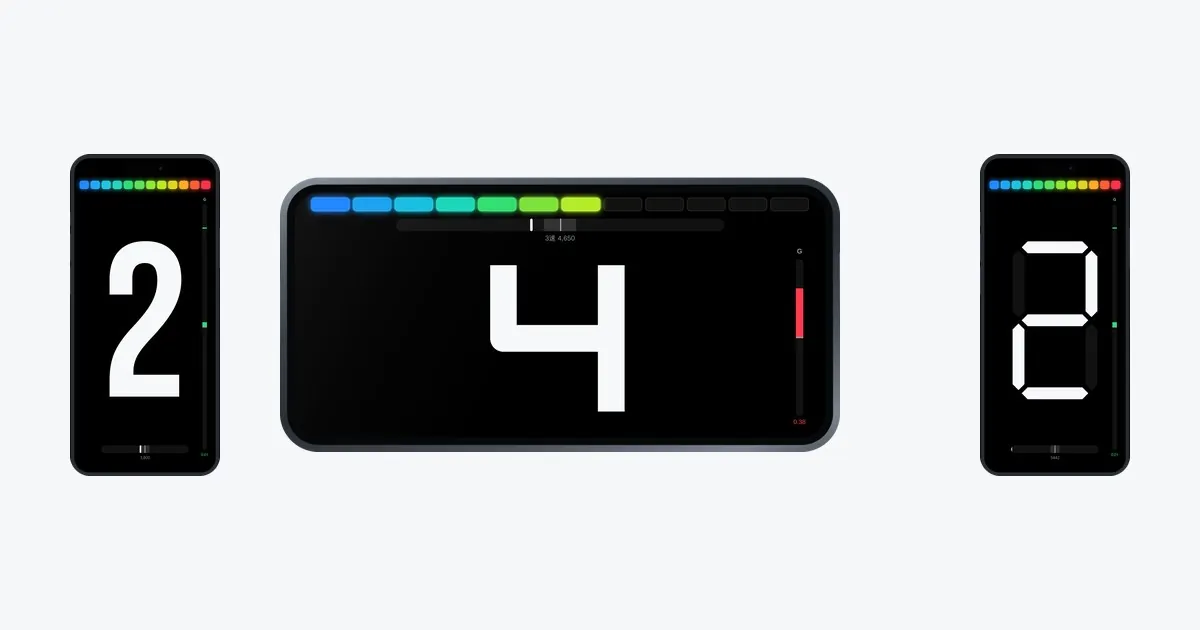
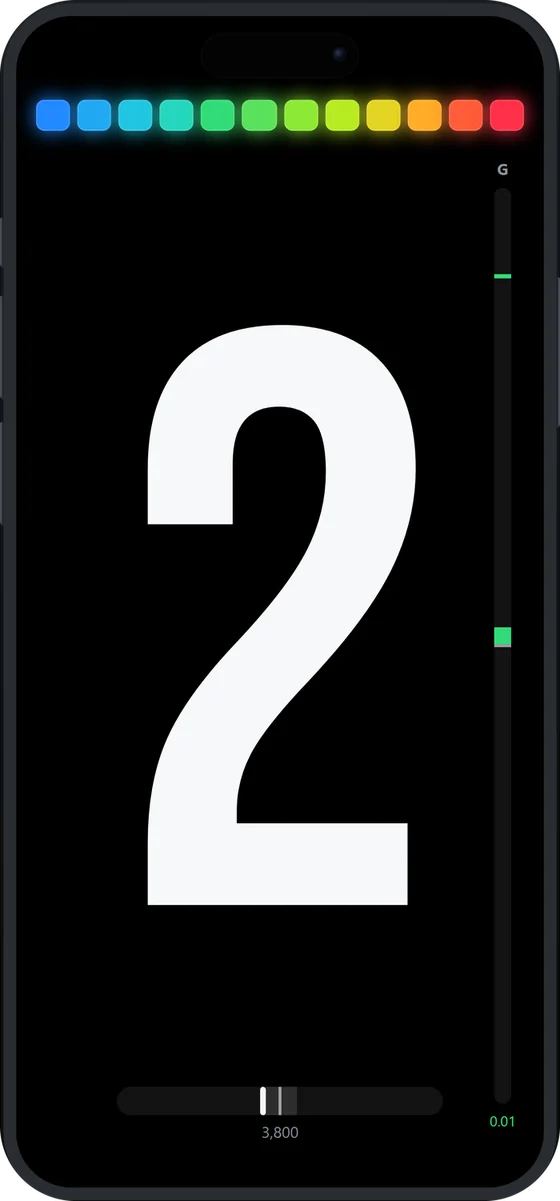 AnalogPortrait
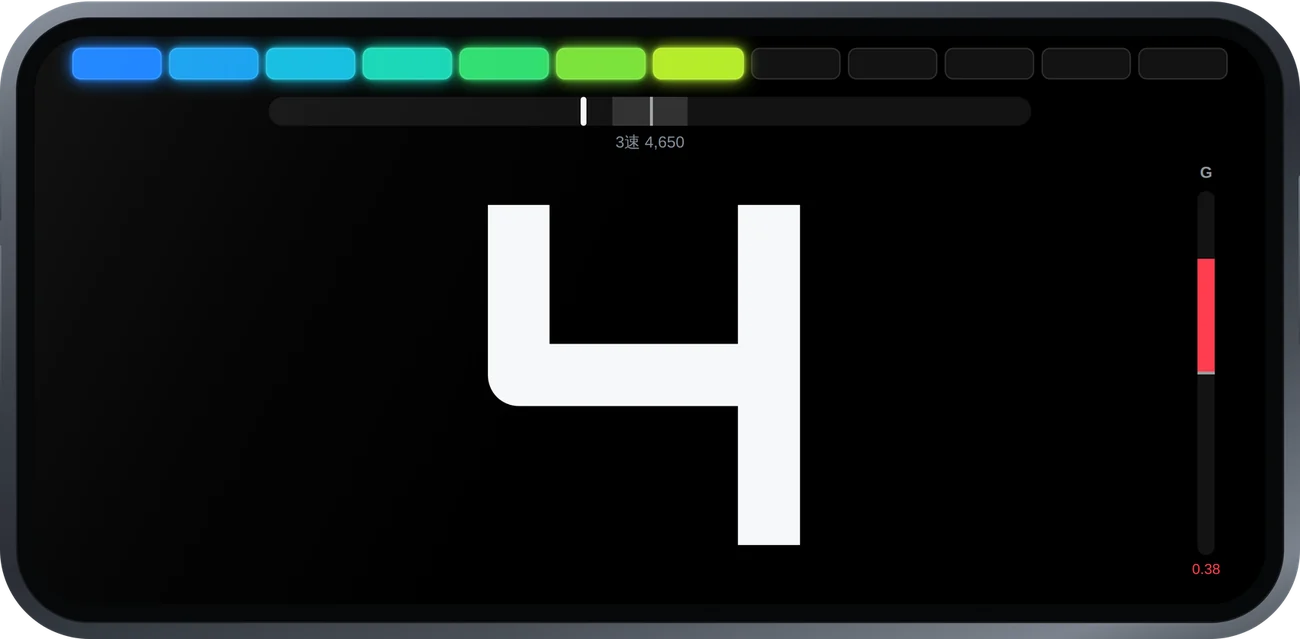 RacingLandscape
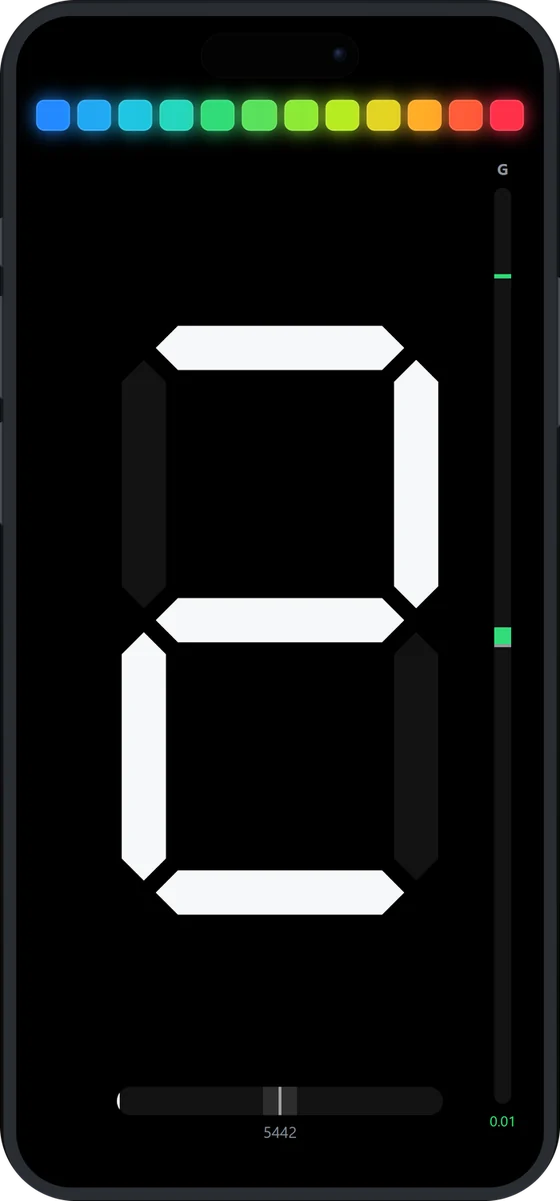 7-segmentPortrait
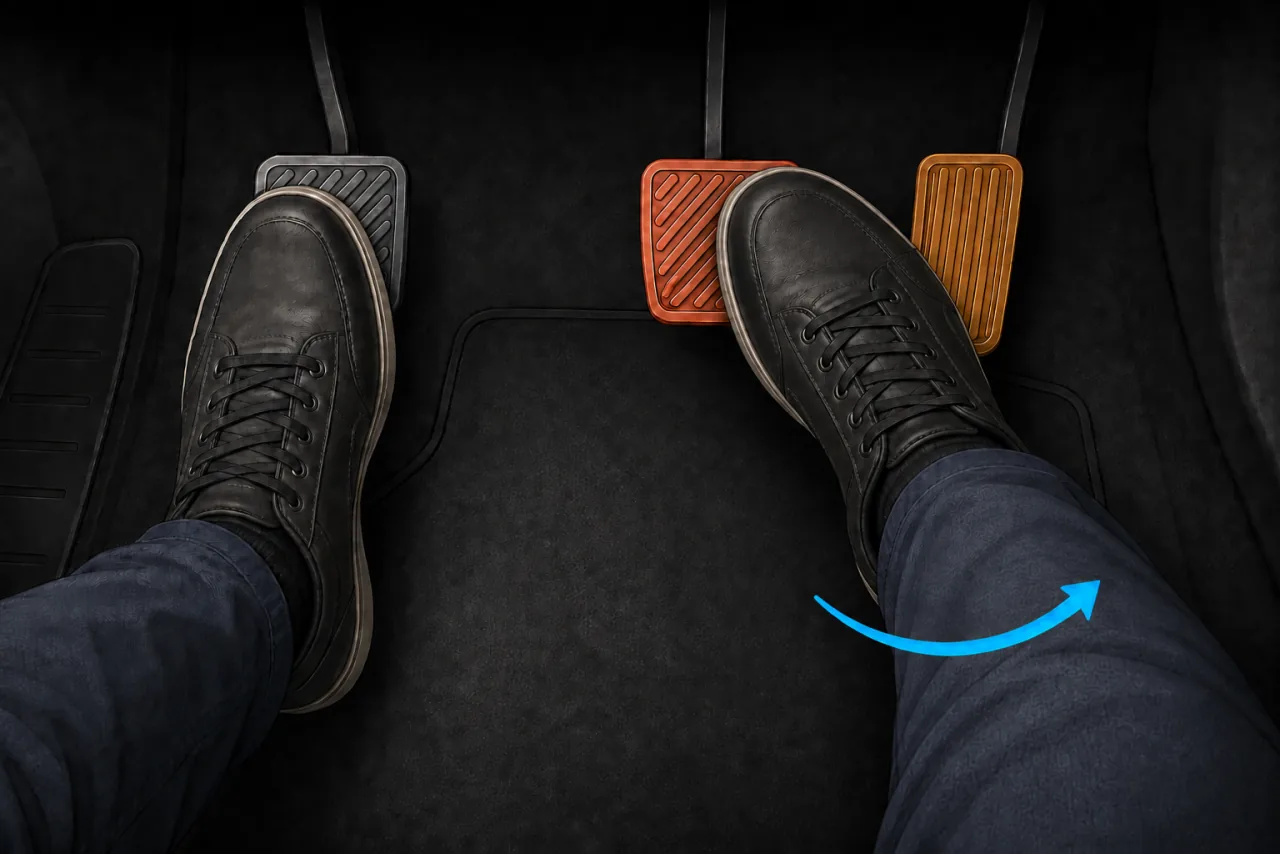
Heel-and-toe is downshifting while braking, using one foot for both pedals. The ball of the foot stays on the brake while the side or heel of the same foot stabs the throttle, and the left foot works the clutch for the downshift.
Despite the name, most drivers do not literally use the heel. In most cars the foot is rolled sideways so the left edge of the right foot brakes and the right edge blips. Pedal layout decides what actually works, so there is no need to force the shape the name suggests.
Rev matching (also called blipping) is the act of raising engine speed with a stab of throttle while the clutch is disengaged, so the engine matches what the next gear needs.
The two terms get used interchangeably, but they describe different things.
| Term | What it refers to |
|---|---|
| Rev matching blipping | Raising engine speed to match the next gear while the clutch is out. It does not require braking at all. |
| Heel-and-toe a pedal technique | Rev matching performed while holding the brake with the same foot. It is the footwork that lets braking and blipping happen at once. |
So rev matching is what you do; heel-and-toe is how you do it under braking. For gentle road driving, blipping without the brake is enough on its own — and it is also the right place to start learning.
On every downshift, the gear you are selecting needs a higher engine speed than the one you currently have. If you let the clutch out without closing that gap, something has to absorb it.
When there is plenty of grip, the tires quietly absorb a sloppy downshift and you never notice. In the wet, or when braking is already using everything the tires have, that same small driveline impulse is what tips the contact patch past its limit. The benefit of being smooth grows precisely when margin disappears.
"How much throttle" looks like a matter of feel, but it is a fixed number you can calculate. While the clutch is engaged, engine speed and road speed are locked together by the gearing.
| Engine speed [rpm] | = road speed [km/h] × that gear's rpm per km/h |
| rpm per km/h | = gear ratio × final drive × 1000 ÷ ( tire circumference [m] × 60 ) |
Gear ratio, final drive and tire circumference are fixed for a given car, so rpm per km/h is a single constant for each gear. All that remains is to multiply by road speed.
| State | rpm per km/h | Engine speed at 80 km/h |
|---|---|---|
| Currently in 4th | 35 | 2,800 rpm |
| Needed once 3rd is selected | 47 | 3,760 rpm |
| Gap to blip across | — | about 960 rpm |
Figures are illustrative; real values depend on the car.
The catch is that the target keeps moving the whole time you are braking. In the example above 3rd wants 3,760 rpm at 80 km/h — but keep braking to 60 km/h and it wants 60 × 47 = 2,820 rpm. Twenty km/h of braking moved the target by 940 rpm.
Trying to do all of it at once reliably falls apart. Broken down, it is five actions.
OBD Gear Indicator puts everything above on screen while you drive. Connect your phone to an ELM327-compatible adapter and it shows the current gear, engine speed, longitudinal G — and the engine speed the next lower gear needs.
SYNSETECH LTD — English and Japanese
Calculates the rpm the next lower gear needs from your current road speed. It keeps recalculating while you brake, so the target always belongs to the speed you are doing now. Centre the marker, wait for green, release. The tolerance band can be narrowed for practice or widened for the road.
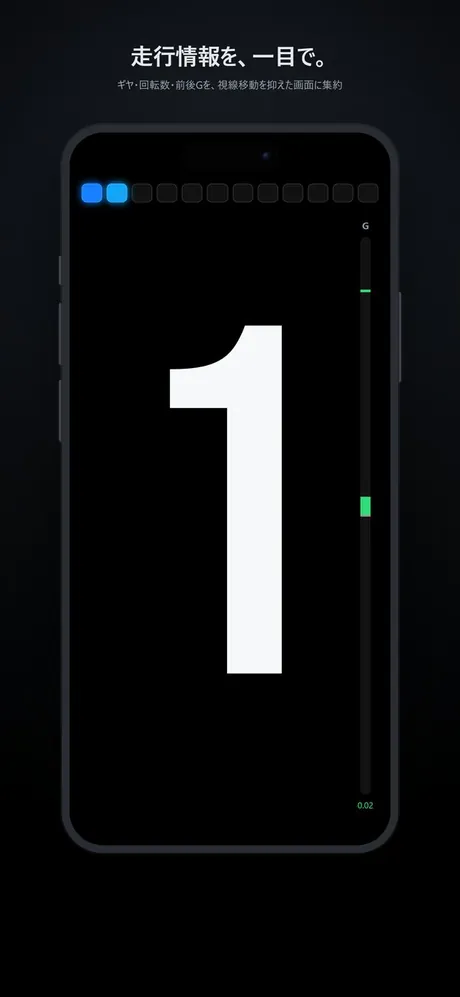
The current gear, large, in the center of the screen. Four typefaces (Analog, Racing, 7-segment, 14-segment) and six colors. Portrait and landscape layouts.
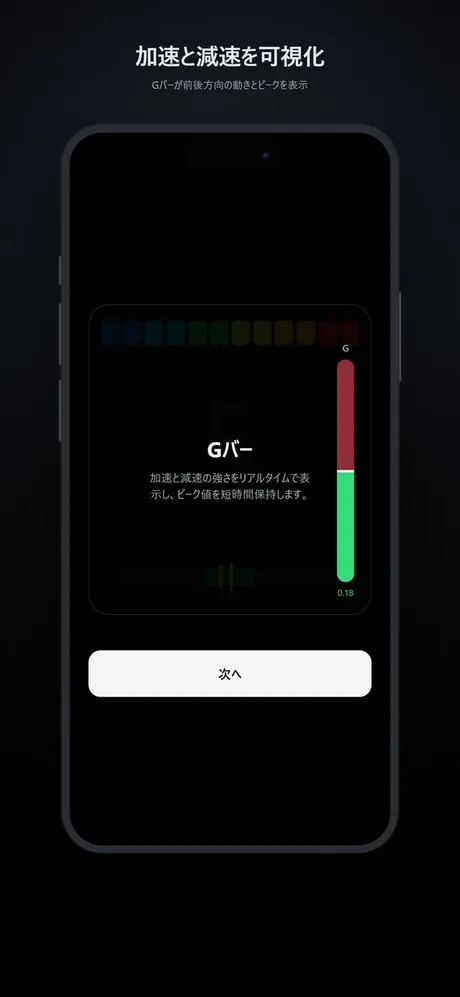
Shows acceleration and braking in real time. An unmatched downshift appears as a sharp G spike the instant the clutch engages. Because that jolt is over in a moment, the bar holds the peak briefly — finish the shift, look down, and the size of it is still there. A clean downshift produces no spike at all.
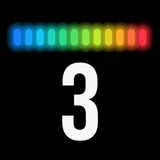
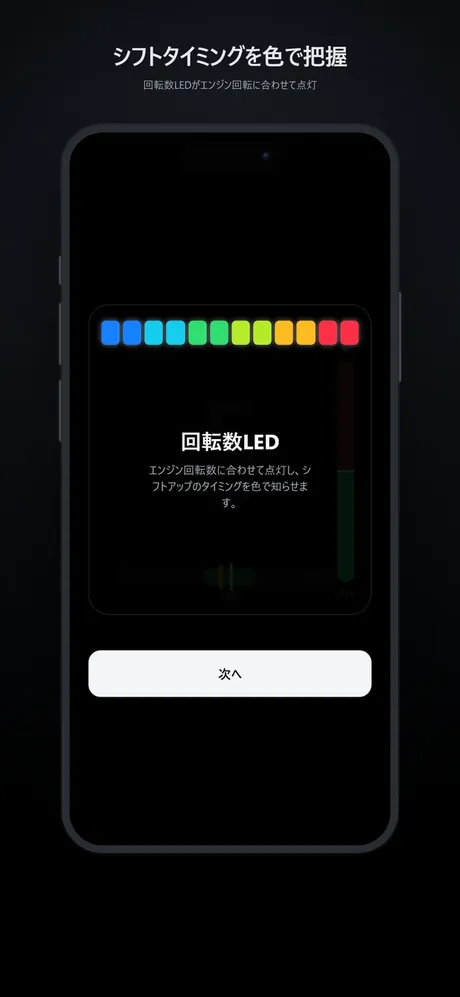
Twelve LEDs light with engine speed and use color to signal the upshift point. The start and full-scale engine speeds are configurable.
Learn each gear's rpm-to-speed ratio automatically while driving, or type in gear ratios, final drive and tire circumference directly. Learned values can be edited by hand afterwards.
Run the display with no adapter and no car, so you can try everything before buying anything.
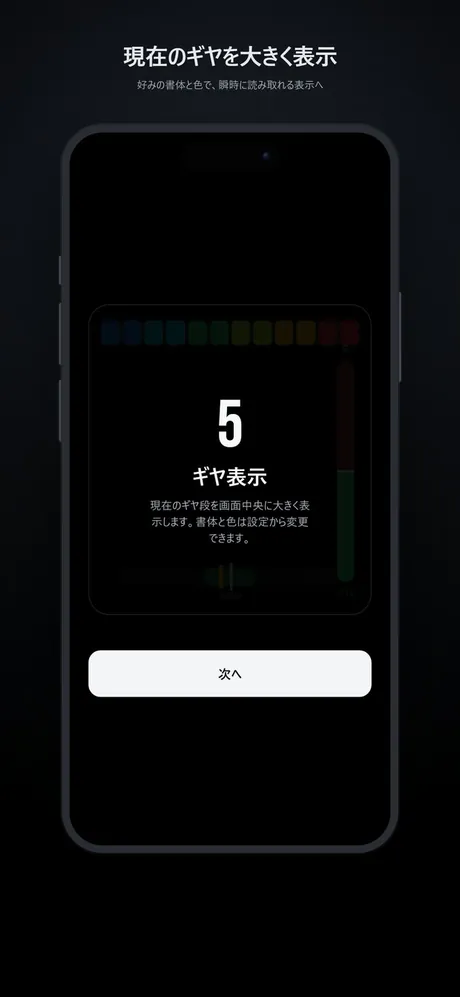
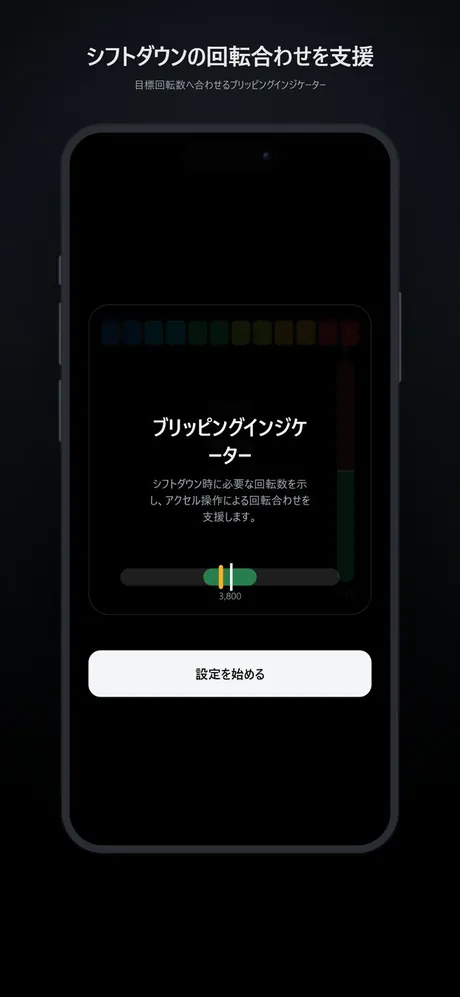
The app estimates the current gear from engine speed, vehicle speed and throttle position read over OBD-II. It does not read gear position from the vehicle or the gearbox. Because it is an estimate, the gear shown can be wrong while the clutch is disengaged or when sensor conditions are poor. The display is reference information only and never takes priority over the vehicle's own instruments or your awareness of your surroundings.
Heel-and-toe asks you to run braking, blipping and clutch release simultaneously. Learning them one at a time is faster than attacking all three, even though it feels slower.
No brakes, flat road, downshifts alone. Clutch in, blip, clutch out. Learn what a shock-free engagement feels like.
Show the target rpm and confirm how far you actually need to blip. This is where "3rd at 60 km/h" stops being abstract.
Add a gentle brake application under the blip. Only now does the real problem appear: keeping brake pressure constant.
Do it at real deceleration. Under load your foot has far less freedom, and seat and pedal position may need rethinking.
The target can be calculated, but calculating it while driving is not realistic. Road speed and engine speed are both falling continuously under braking, so there is no moment in the pedal change where the arithmetic can happen. That is exactly why it is worth putting on screen.
Practising on feel alone tells you that a downshift was bad, but not why: too little blip, too much, or simply late. Those need completely different corrections, and without the number you cannot tell them apart. With the target on screen you can — and once you can name the error, the next attempt fixes it.
Once it starts landing, turn the display off and use it as an answer key. Do it on feel, then check. That loop is what actually raises the resolution of your feel.
If the target rpm is the tool for getting it right, the longitudinal G bar is the tool for checking whether you did. An unmatched downshift always shows as a sharp spike the instant the clutch engages — toward deceleration if you under-blipped, toward acceleration if you over-blipped. It tells you which way you missed, at a glance.
A shift shock is over in an instant, so a live bar alone is impossible to catch by eye. That is why the app holds the peak briefly: finish the shift, look down, and the size of that jolt is still there.
| Symptom | Likely cause |
|---|---|
| A jolt of deceleration as the clutch comes up | Not enough blip, or too long between the blip and the release so the revs have already fallen. You are below the target. |
| The car surges forward on engagement | Too much blip. The engine was above the target and drove the wheels. |
| Brake pressure wavers or grabs | The whole right foot is moving with the blip. This is the single most common failure and the real difficulty of heel-and-toe. Prioritise constant pressure over everything else. |
| You cannot reach the throttle | Pedal geometry. An aftermarket pedal cover or spacer often solves it. Sitting too far back also robs the ankle of movement. |
| It only goes wrong at low speed | At low road speed the rpm gap between gears is small and the acceptable window narrows with it. Start in the mid-speed range. |
| It works sometimes and not others | You are probably remembering a fixed rpm, or a fixed amount to add. Both change with road speed, so the same blip gives a different result at a different speed. |
OBD2 (On-Board Diagnostics 2) is the common standard for reaching a vehicle's self-diagnostic data from outside. Cars have carried it for well over a decade in most markets. The trapezoidal connector sits near the driver's footwell, and the car's live state can be read from it.
ELM327 is the name of the interpreter chip that lets a phone or PC talk to OBD2 over Bluetooth or Wi-Fi. Most of the inexpensive adapters sold today are ELM327-compatible clones of that command set rather than the original chip.
| Data | Used for |
|---|---|
| Engine speed (PID 0C) | RPM LEDs, comparison against the target |
| Vehicle speed (PID 0D) | Estimating the gear, calculating the target rpm |
| Throttle position | Helping identify states such as a disengaged clutch |
This is the single most common stumbling block. ELM327-compatible adapters come in three connection types, and only one of them works with an iPhone.
| Connection | iPhone | Android |
|---|---|---|
| Bluetooth Low Energy (BLE) | Works | Works |
| Classic Bluetooth (SPP) | Does not work | Works |
| Wi-Fi | Does not work | Works |
Buying the cheap SPP adapter that everyone recommends for Android, then finding it will not connect to an iPhone, is by far the most common mistake. iOS does not expose the Bluetooth SPP profile to ordinary apps for security reasons, and Wi-Fi adapters are equally out of reach. Look for "iOS compatible" or "BLE" stated on the product page.
ELM327-compatible adapters look and cost much the same as each other while differing enormously in how fast they answer. OBD2 itself adds at least about 50 milliseconds; everything beyond that is the adapter. A slow adapter visibly increases both the lag and the error on screen, and for rev matching lag translates directly into a display you cannot use. If the gear reading feels slow or unstable, suspect the adapter before the settings.
The app needs an adapter, sold separately. Check these before you buy.
Adapters are third-party products unrelated to SYNSETECH LTD. We accept no responsibility for their quality, faults, or compatibility with your vehicle — contact the retailer or manufacturer directly.
OBD Gear Indicator is an iPhone and Android app from SYNSETECH for heel-and-toe and rev-matching practice. Using vehicle speed and engine RPM from OBD2 together with gear-ratio settings, it displays the target RPM for the next lower gear and the rev-match error. A longitudinal G bar also helps you check shift shock. Use in a car requires a separately sold ELM327-compatible OBD2 adapter. On iPhone it must state iOS compatibility and support BLE.
OBD Gear Indicator’s demo mode lets you explore the displays and settings without a car or adapter. It does not train or score real pedal movements. Checking rev matching in a car requires a compatible adapter and vehicle.
Not strictly, but it is worth having. A rev-matched downshift produces no driveline shock, which means smoother travel for passengers and less clutch wear. On the road, blipping without the brake already gives you most of the benefit.
Rev matching is the act of blipping the throttle while the clutch is disengaged so the engine matches the next gear. Heel-and-toe is doing that while holding the brake with the same foot. Rev matching is what you do; heel-and-toe is how you do it under braking.
No. The required engine speed is road speed × that gear's rpm per km/h, so it changes with speed. The same gear can want nearly 1,000 rpm more at 80 km/h than at 60 km/h, and it keeps moving throughout the braking zone.
On most cars, no — gear position is not in the standard OBD2 PID set. Instead the ratio of engine speed to vehicle speed is used: it is constant within a gear, so once each gear's value is learned while driving, the current gear can be derived.
For iPhone it must state iOS compatibility and support Bluetooth Low Energy (BLE). Classic Bluetooth (SPP) and Wi-Fi adapters do not work on iOS. Beyond that, response speed varies enormously between products — choose a low-latency one, because a slow adapter increases both lag and error on screen.
Gear and rpm display will work, but the rev-match indicator assumes you operate the clutch and throttle yourself. There is limited use for it in an automatic.
No — reading vehicle data requires a BLE ELM327-compatible adapter, sold separately. Demo mode does let you explore the display and every setting without one.



 OBD Gear Indicator